Manage Users
Available with Core license
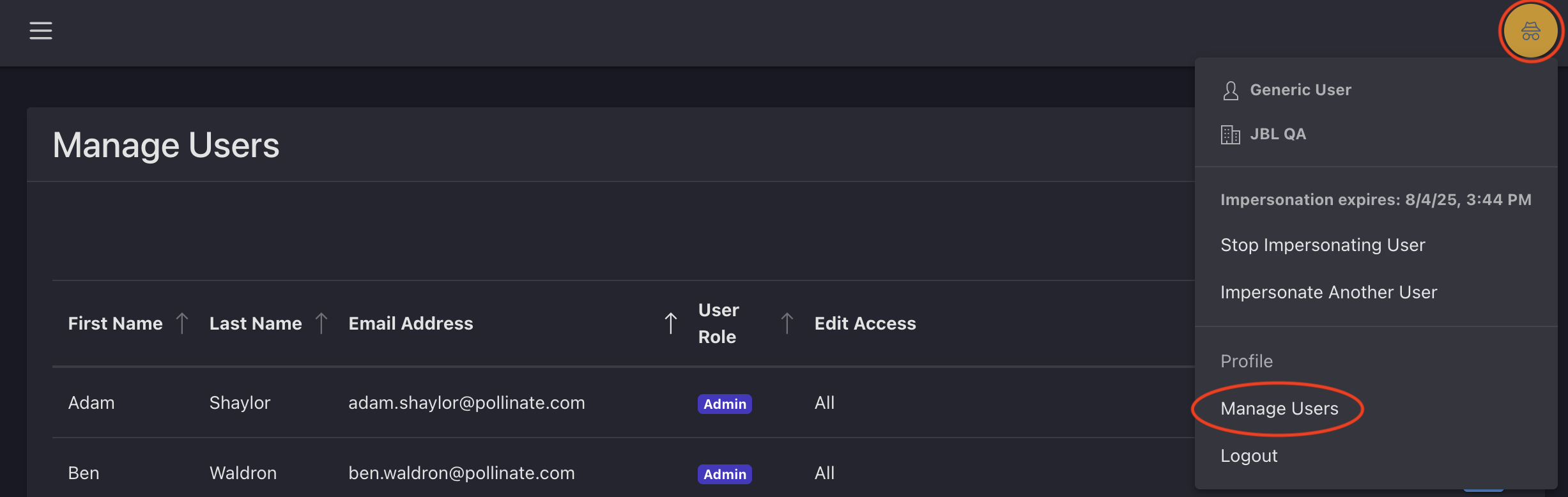
Access the Manage Users page to view a list of all users who have access to your admin.
- Log into the admin
- Click the profile circle in the top right corner of the page
- Select Manage Users from the menu
- You will see a list of all active user accounts, including:
- First Name
- Last Name
- Email Address
- User Role
- Edit Access