Adding Users
Available with Core license
When your admin experience is configured, Spectrum will add your initial admin user(s) for you. At least one user needs to be assigned the role of Admin in order to allow someone within your organization to manage user accounts going forward. There are various levels of access that can be assigned to each user account, which allows your organizational Admin to control who has edit capabilities to certain content. Each Spectrum Core license includes up to 4 admin user accounts.
- Log into the admin
- Click the profile circle in the top right corner of the page
- Select Account Settings from the menu
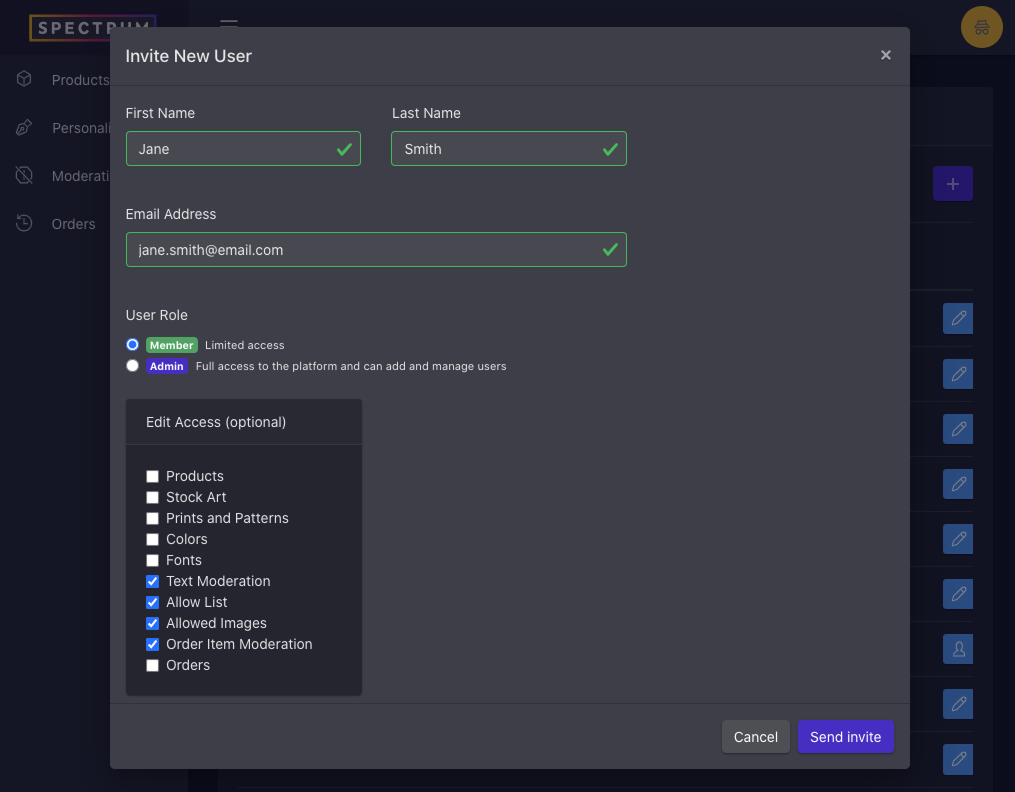
- Click to + icon to open the Invite New User modal
- Populate required user fields:
- First Name
- Last Name
- Email address
- Choose the desired user role and access level for the new user:
- The Admin user role will have edit access to all features within your admin experience
- The Member user role will have read-only access by default, but you may choose to unlock edit access to specific areas of your admin by checking the appropriate features from the list
- Click Send Invite button, and an email will be sent to the user to finalize user account set up.